Built on tree-sitter · Written in Rust

The missing navigation layer for your knowledge base.

Codemark turns the critical parts of your codebase into a searchable, shareable map of structural bookmarks that survive refactors, so you (and your agents) always know where the important code lives.

brew install DanielCardonaRojas/codemark/codemark

macOS & Linux. Installs the CLI and the codemark tui dashboard.

Prebuilt binaries for macOS, Linux & Windows. SQLite bundled.

~/project · codemark
# Bookmark a function: captures its AST, not a line number
$ codemark add --file src/auth.rs --range 42 --tag auth --note "Token validation"
✔ Added bookmark 'a1b2c3d' for validate_token in src/auth.rs

# Refactor happens... lines shift... the function is renamed...

# Resolve: finds where the code lives *now*
$ codemark show a1b2 --location
src/auth.rs:89:15 (Match: Relaxed)

# Search by meaning, with local embeddings. No API key
$ codemark search --semantic "database connection initialization"
b8x9z2 | src/db.rs:12 | init_pool | score: 0.89
crates.io license

Native Dashboard

A command center for your code's memory.

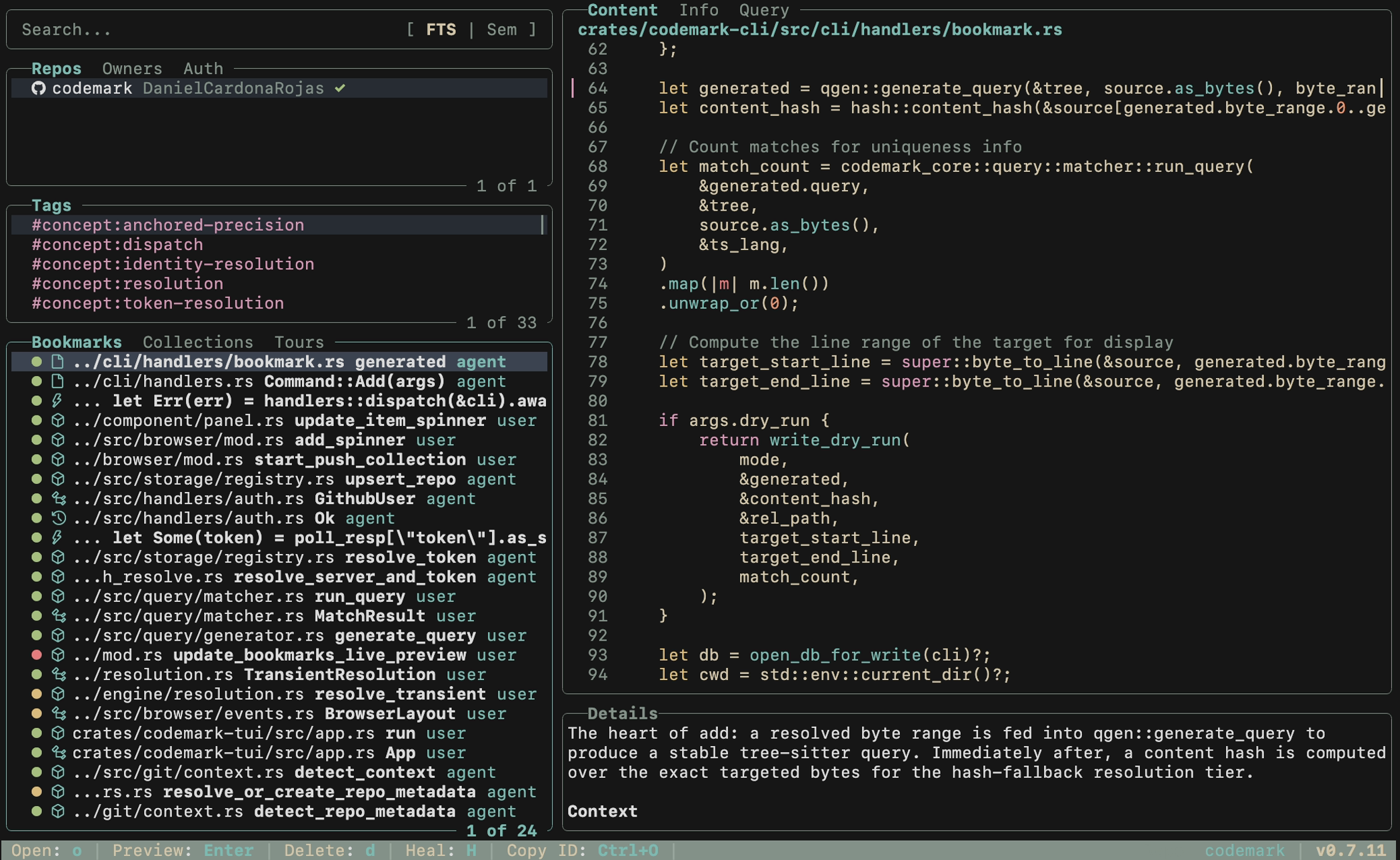
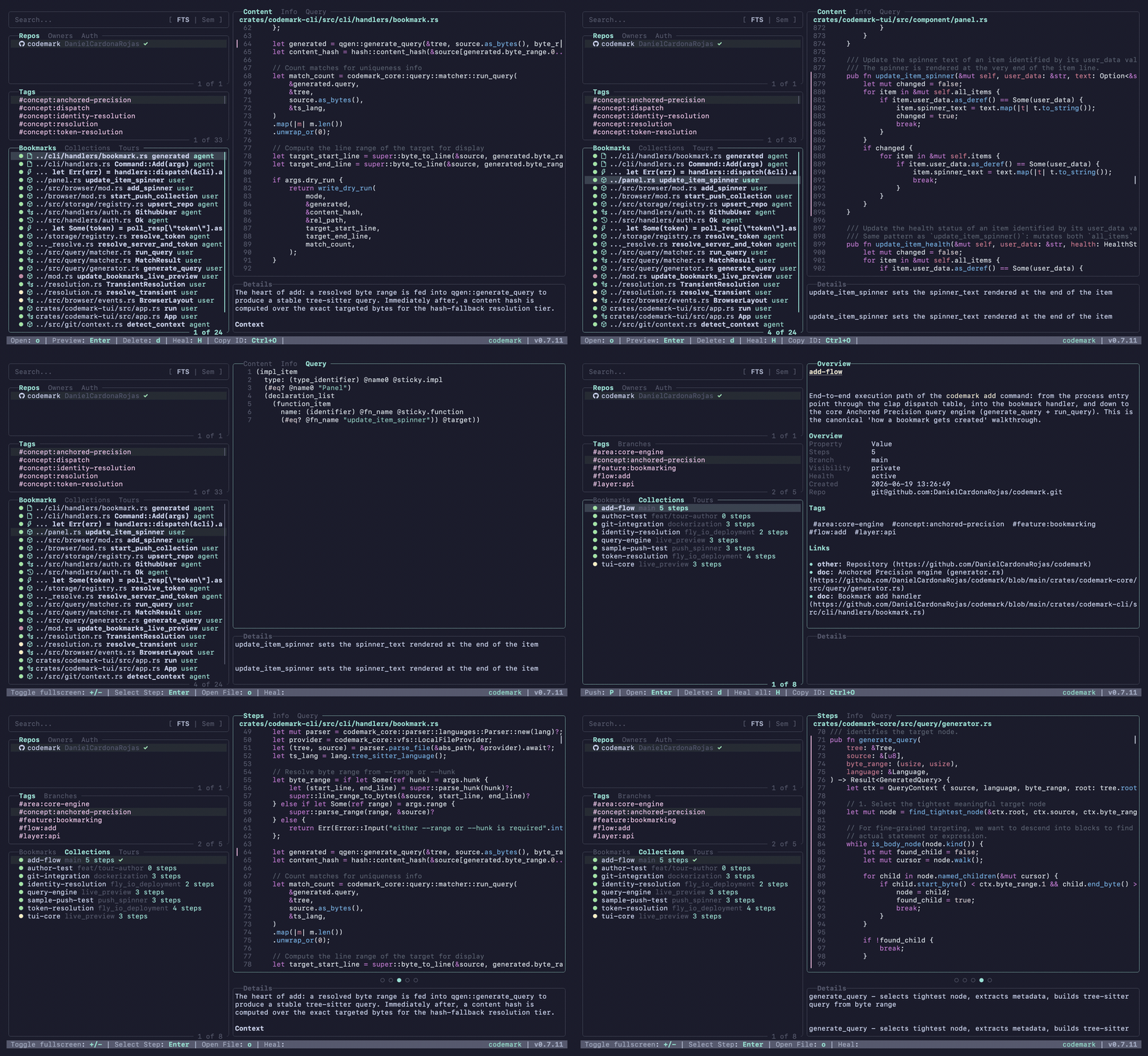
Codemark ships with a built-in, keyboard-driven TUI inspired by lazygit. Browse bookmarks, preview resolved code, run queries, and switch collections, all without leaving the terminal.

codemark tui
Browsing bookmarks in the Codemark TUI: navigating panes, previewing resolved code, and switching collections
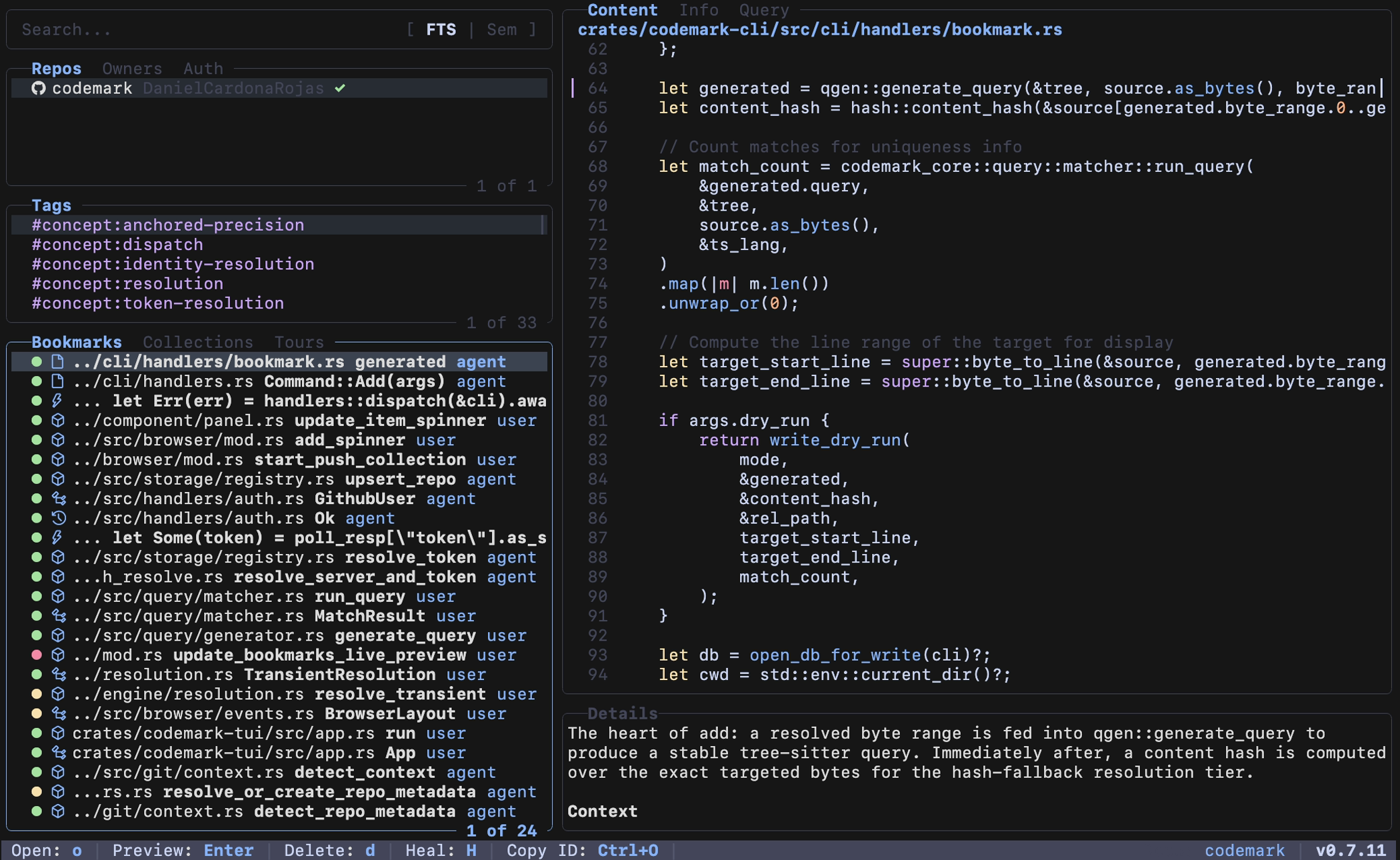
Codemark TUI with the Catppuccin Mocha theme
Catppuccin Mocha Built-in color schemes re-theme the whole interface, code preview and UI chrome alike.
Codemark TUI with the Everforest Dark theme
Everforest Dark Set tui.theme in your config or via CODEMARK_TUI_THEME to switch.

Why Codemark

Line numbers break. Structure doesn't.

Traditional bookmarks point at a coordinate. Codemark understands your code the way a compiler does, so a reference knows what it points to, not just where.

Durable references

Bookmarks identify code structurally. A renamed function is still found, even if it moved across the file.

Self-healing

Tiered resolution (exact match, then relaxed query, then content-hash fallback) degrades gracefully instead of breaking silently.

Semantic search

Ask "where's the auth logic?" using local vector embeddings (sqlite-vec). No external API calls, no keys.

Unix-friendly

Line-oriented, pipe-friendly JSON output that composes naturally with fzf, bat, jq, and shell scripts.

Rich metadata

Attach notes, tags, authors, and git context to any bookmark. Group them into collections you can reload across sessions.

Speaks 8 languages

Auto-detects and parses Rust, Swift, TypeScript/TSX, Python, Go, Java, C#, and Dart.

Capability Standard IDE bookmarks Codemark
Refactor resilience Breaks on line shifts Survives renames & moves
Search Literal text only Local vector embeddings
Metadata Minimal Notes, tags & authors
Agent integration UI-only LLM-native skills
Sharing Local & private Publish & pull via Codetours

Contextual Memory

More than a pointer.

A bookmark is a container for knowledge. Attach rich metadata to any piece of code and build a searchable map of your project's architecture.

  • Notes & rationale. Explain why a piece of code exists, its side effects, or known debt.
  • Tags. Categorize with labels like #auth, #vulnerability, or #entrypoint.
  • Collections. Group bookmarks into named sets for a feature, audit, or bug investigation.
codemark show a1b2 --format json
{
  "id": "a1b2c3d",
  "data": {
    "file_path": "src/auth.rs",
    "line_range": "42:67",
    "note": "Critical JWT validation. Contact security before modifying.",
    "tags": ["auth", "security", "entrypoint"],
    "created_by": "daniel",
    "collection": "security-audit-2026"
  }
}

Fits your setup

Works everywhere you do.

Codemark is built for real-world git workflows across worktrees, forges, and accounts.

Git worktrees

Worktrees share one .git directory, and Codemark knows it. Bookmarks resolve correctly whichever worktree you're in.

Multiple forges

GitHub, GitLab, Bitbucket, or a generic host: authenticate against whichever forge each repository lives on.

Multiple accounts

Keep your work and personal identities side by side. Log in per account and switch without re-authenticating.

~/work · codemark
# Authenticate a second account on a different forge
$ codemark auth login --forge gitlab --username work

# Query bookmarks across repositories by identity
$ codemark list --repo acme/api --repo personal/sketch --tag entrypoint
share a tour
# Point this repo at a Codetours server
$ codemark repo set-server https://codetours.fly.dev

# Publish a collection as a shareable tour
$ codemark tour push security-audit
✔ Published 'security-audit' (12 bookmarks) → codetours

# A teammate pulls it into their own checkout
$ codemark tour pull security-audit
↳ 12 bookmarks resolved against local HEAD

Sharing · Codetours

Sync & share your code map.

Bookmarks shouldn't be stuck on one machine. Push a collection to a Codetours server as a tour, and your team pulls it into their own checkout, where each bookmark re-resolves against their local code.

  • Collections become tours. Publish a curated set of bookmarks with a single push.
  • Structural, not literal. Tours travel as queries, so they survive the differences between checkouts.
  • Self-hosted. Run your own Codetours server, or point at a shared one. Your code stays where you put it.

Agent-ready

Structured memory for your AI agent.

Codemark isn't only for humans. Install the skill and agents like Claude Code can bookmark critical discoveries as they explore, keeping context alive across long-running sessions.

Instead of re-deriving the same map every session, your agent records what it learned and reloads it next time.

install & use the agent skill
# Teach your agent how to use Codemark
$ codemark install-skill --agent claude --scope user
✔ Installed Codemark skill for claude

# The agent discovers and records auth logic on its own
$ codemark add --file src/auth.rs --range 42 --created-by agent --note "Observed entrypoint"
✔ Bookmarked 'a1b2' for later reference

Quick Start

Three steps to a living map.

1

Install the agent skill

Teach your AI agent how to use Codemark.

codemark install-skill --agent claude --scope user
2

Let your agent bookmark for you

Ask it to capture the structure of your codebase as it explores.

"Create a collection called auth-audit and bookmark the key functions involved in authentication."

3

Browse with the dashboard

Launch the keyboard-driven TUI to review what's been captured.

codemark tui